Profile Settings
Configure your personal profile, photo, signature, region, and timezone.
Before you start
- Everything on this page saves automatically — there is no Save button.
- New to the dashboard? The Setting Up Your Profile tutorial walks you through this page once, step by step. This guide is the complete reference.
Change your region
Your region controls how money, dates, and measurements look everywhere in the dashboard.
Go to SettingsProfile.
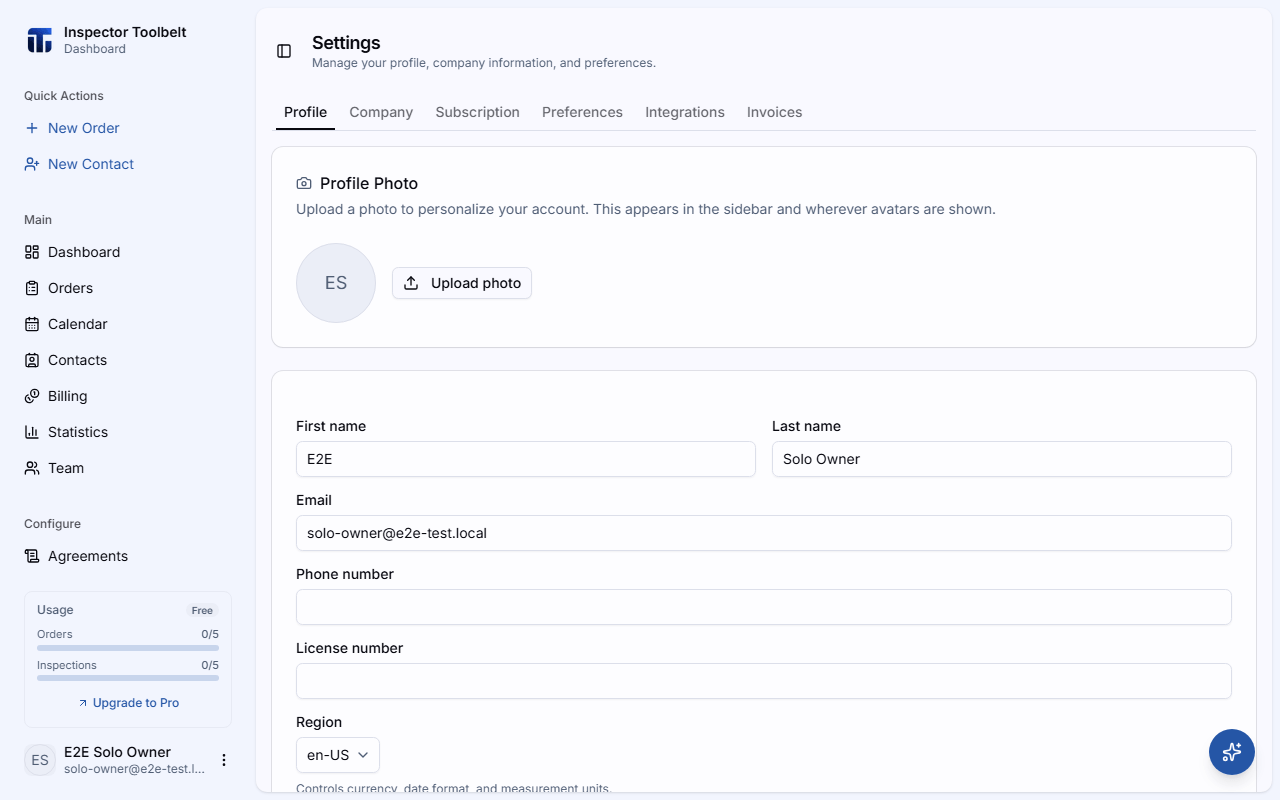
Under Region, pick the country that matches your business — for example Australia (AUD, metric).
Update your name and contact details
Go to SettingsProfile.
Edit First name, Last name, Email, or Phone number. First name, last name, and a valid email are required.
What you should see
Your changes stick as soon as you stop typing. After a region change, prices, dates, and units across the dashboard switch to the new format — for example $ becomes A$ and sq ft becomes m².
If something goes wrong
- "First name is required" / "Enter a valid email" — the field can't be left empty or malformed; fix it and the save goes through.
- A red timezone warning appears — your browser's timezone doesn't match the one saved on your account. Pick the right one from the Timezone list. You only see this warning while you are working in your own account.
Settings reference
Profile Photo
Upload a photo to personalize your account. It appears in the sidebar and wherever avatars are shown. PNG, JPEG, or WebP, under 5 MB. Use Replace or Remove to change it later.
Name
Your first and last name, shown to team members and in communications.
Email & Phone
Your primary email address and phone number for communications.
License Number
Optional professional license number for your business. This can be displayed in client-facing documents.
Region
Determines currency formatting, date formatting, and measurement units. Choose from United States, Canada, Australia, New Zealand, South Africa, or the United Kingdom.
What region affects
Changing your region updates currency symbols (e.g., $ vs A$ vs £), date formats, and measurement units (sq ft vs m²) across the entire dashboard.
Timezone
All dates and times in the app display in this timezone. If your account has no timezone yet, the dashboard detects and saves your browser's timezone for you. Only change it if you have permanently relocated — a warning appears when your browser and account timezones disagree.
If the account still has no timezone saved — for example nobody has opened this page yet — the dashboard falls back to the standard timezone for the account's Region (Eastern Time for the United States, Sydney for Australia, London for the United Kingdom, and so on). It never falls back to the timezone of whoever happens to be looking at the screen, so everyone on the account sees the same appointment times.
If you work on someone else's team
The dashboard uses the account owner's region and timezone, not yours. That way everyone working the same account sees the same prices, dates, and appointment times — even when you are in a different country. The region and timezone you set here still apply to any account you own.
Because your own timezone changes nothing there, the dashboard does not warn you about it while you are in someone else's account, and it does not fill it in for you. Switch to your own account to set it.
When your own clock differs from the account's, times on screen are labelled with the account's timezone — for example 9:00 AM EDT instead of just 9:00 AM. If you are in the same timezone as the account, nothing changes.
Signature
Upload an image of your signature for use on agreements and Reports. PNG, JPEG, or WebP, under 5 MB.
Danger zone
At the bottom of the tab, the Danger zone card holds Delete account and data. It closes your account and schedules your data for permanent deletion. See Delete Your Account before you use it.
Language
The dashboard language is set using the language switcher in the sidebar footer, not from this page. Currently supported: English, Spanish, French, Arabic, Chinese, and Korean.
Related
- Setting Up Your Profile — the first-time walkthrough
- Company Settings — your business name and address
- Preferences — workflow defaults and features
- Delete Your Account — close your account and schedule your data for deletion