Report Templates
Build reusable report structures that scaffold every inspection.
Overview
A report template defines the structure of an inspection report. It's organized as Sections (e.g., "Roof") that contain Items (e.g., "Shingles"), and each item collects a rating, comments, photos, and attributes. When you start a new inspection, the template scaffolds the whole report for you.
For report-enabled accounts
Report templates work together with rating systems and the comment library.
Managing Templates
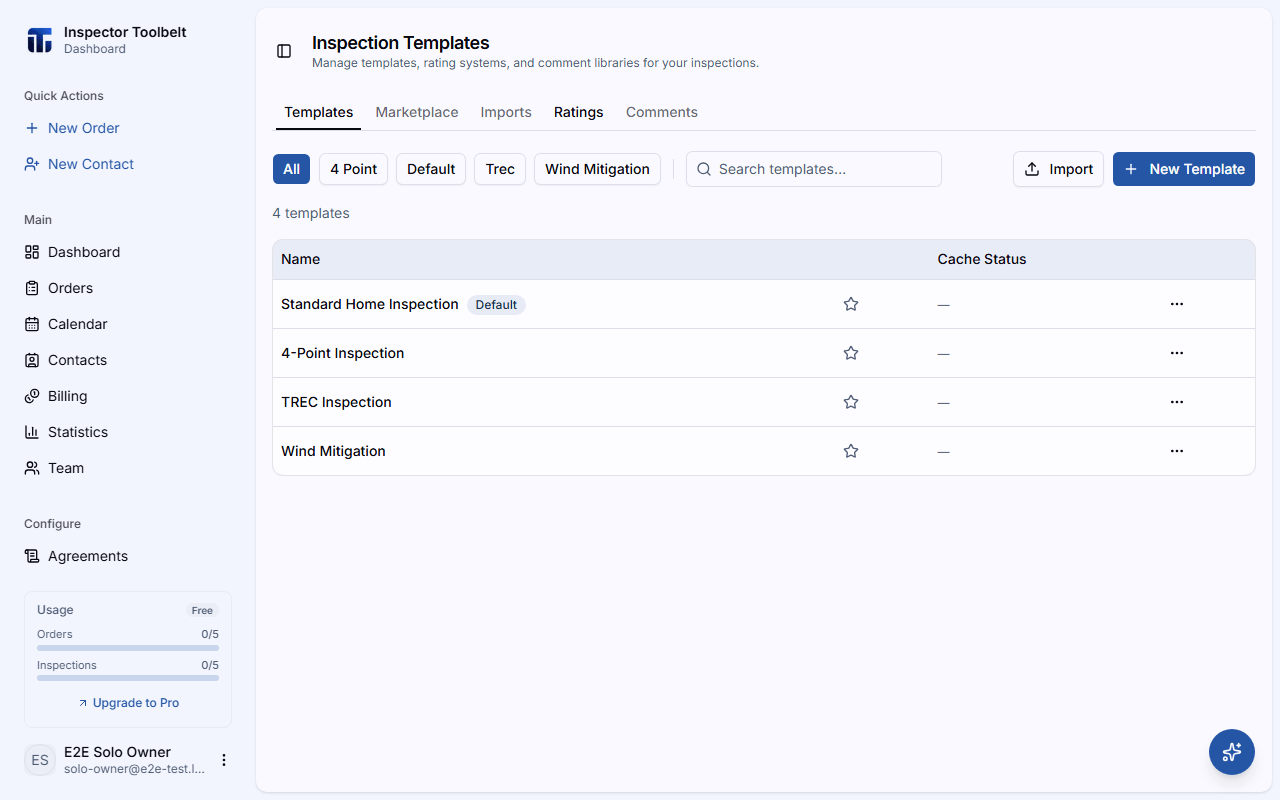
Navigate to Templates in the sidebar. The Templates tab lists your templates.
Creating a Template
Click New Template and set a Template Name and a Default Rating system — both are required. The rating list shows the rating systems on your Ratings tab; if you don't have one yet, the dialog links you there to create one or clone a system default. Optionally use Copy From to start from an existing template instead of a blank one.
Add Sections and Items
In the editor, click Add Section to create a section, then Add item within it. For each item you can set an Item Name and configure its Comments, Attributes, Photos, and Sub-Items tabs.
Set Item Rules
Mark an item as Information only when it needs no rating, or turn on Require a Rating / Require a Comment to make sure inspectors don't skip it.
Template Settings
The Settings panel controls report-wide options such as the cover style, where the summary appears, and display options like showing pictures in the summary. The Wind Mitigation and 4-Point models also offer Sign generated report, which stamps the account owner's signature, saved under SettingsProfile, onto the filled PDF. If no signature is saved there, the PDF is not signed. Only the account owner sees a warning about this under the option; team members see a note that the owner's signature is used.
List Actions
From the templates list you can:
- Edit — open the editor
- Duplicate — create a copy of the template (named with a "(Copy)" suffix)
- Set as default / Remove default — the default template is pre-selected for new inspections
- Delete — remove the template (with confirmation)
- Star a template to mark it a favorite
Start from the marketplace
Don't want to build from scratch? Browse the Template Marketplace for ready-made templates you can import.
Using a Template
Templates come to life when you write a report: starting an inspection on an Order clones the selected template's sections and items into a new report.
Need to go deeper on sections, items, and validation rules? See Editing Templates.