Importing Templates
Bring templates in from another inspection tool or your own backup file.
Overview
If you already have templates in another tool, you can import them instead of rebuilding from scratch. Navigate to Templates in the sidebar and open the Imports tab.
Looking for ready-made templates instead?
Browse the Template Marketplace for templates other inspectors have published — no file needed.
Just signed up?
If you picked the tool you are switching from during setup, or named it to the setup assistant, you were offered the matching import there, with your source already selected.
Supported Sources
Click Import to open the import wizard. You can import from:
| Source | File type |
|---|---|
| Inspector Toolbelt | Backup file |
| Home Inspector Pro | .tpz |
| Spectora | .xls / .xlsx (export your templates from Spectora first) |
| InspectIT | .sqlite database backup |
Tap Inspect files cannot be imported. If you are switching from Tap Inspect, name it to the setup assistant and book a call, and a person here converts your file for you.
No template export
Templates can only be imported into Inspector Toolbelt, not exported out of it.
Running an Import
Choose a Source and Accept the Terms
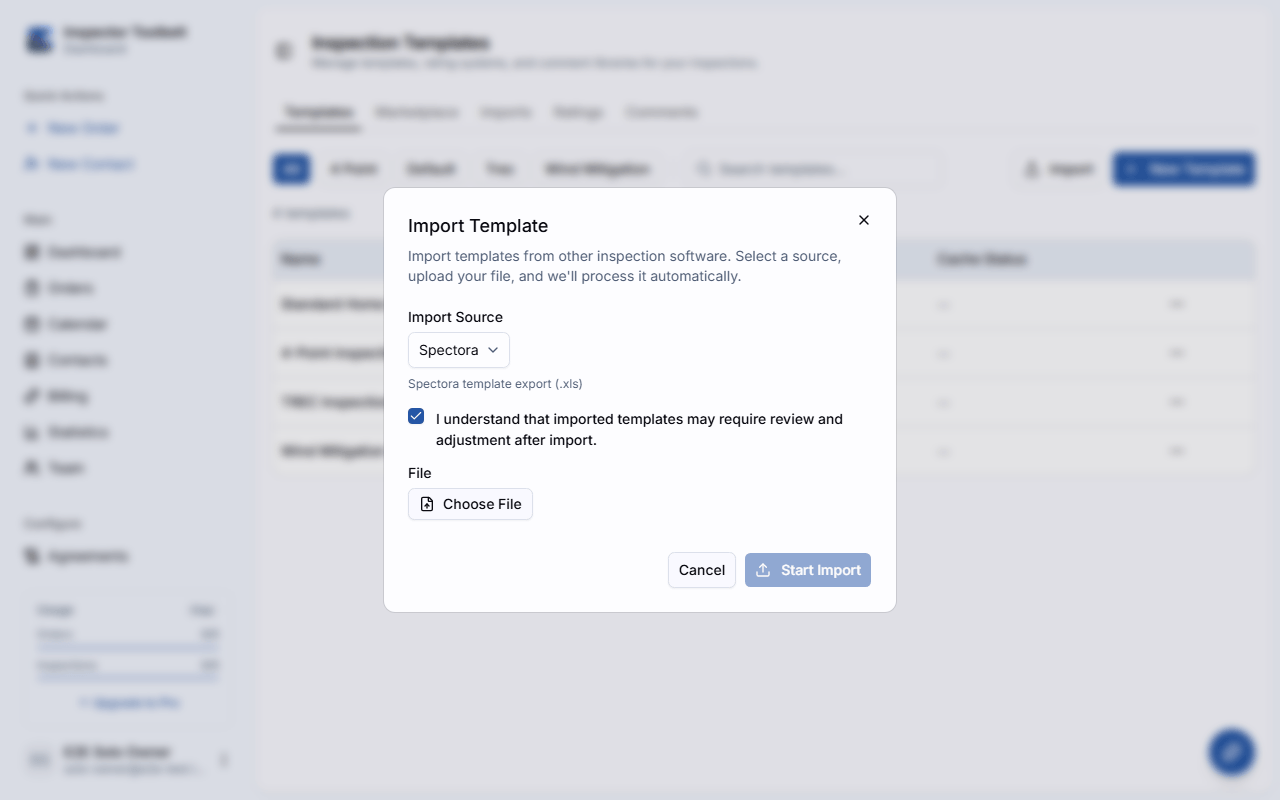
Select the tool you're importing from, then agree to the review disclaimer before uploading.
Upload Your File
Choose your file (25 MB maximum) and start the import.
Pick Which Templates to Import
Some source files can contain more than one template. When that happens, you'll see a list of the templates found in the file — select the ones you want and import just those.
Give it a few minutes
Larger files can take a few minutes to process. Once an import finishes, review the resulting template carefully before using it on a live inspection — imported structures don't always map perfectly to Inspector Toolbelt's format.
Import History
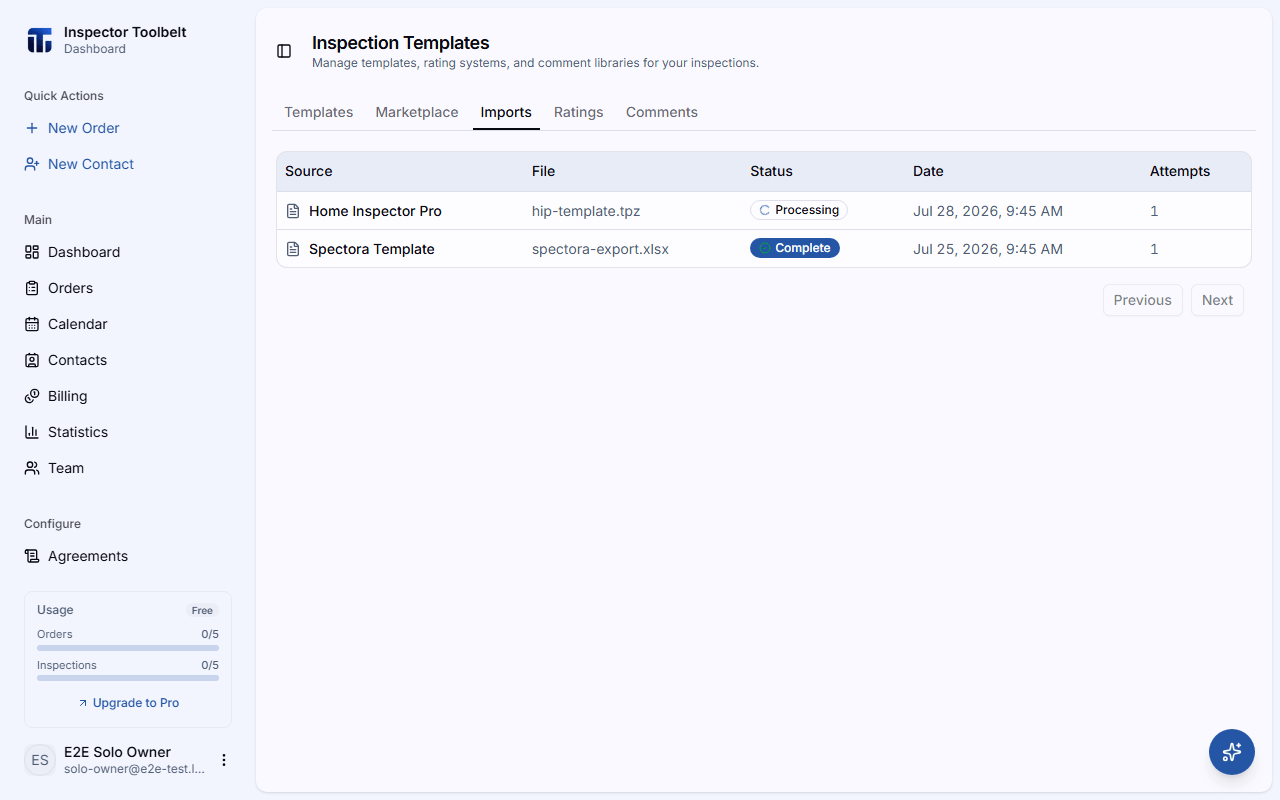
The Imports tab keeps a running history of every import you've started, with its source, file name, status, and how many times it's been attempted — so you can check whether an import is still processing or see why one failed.